
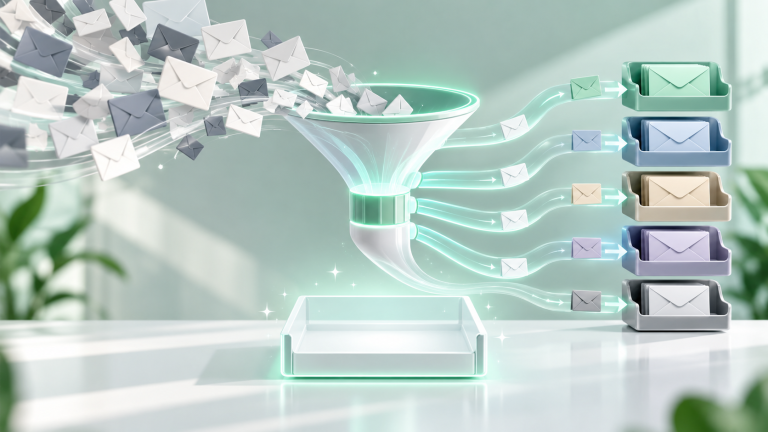
The modern corporate inbox has transformed from a productive communication medium into an overwhelming stream of automated notifications, newsletter blasts, cold sales pitches, and urgent task requests. The average office professional checks email 15 times a day, fracturing cognitive focus and derailing deep work. Achieving true Inbox Zero does not require spending hours manually filing messages; it requires engineering an automated triage pipeline that filters noise before it ever rings your phone.
The 4D Email Processing Philosophy
Before establishing technical filters, adopt the universal 4D rule for incoming messages:
- Delete (or Archive): If an email requires no action and carries no legal or financial consequence, archive it immediately. Search algorithms render manual hierarchical folders obsolete.
- Delegate: If the task belongs to a teammate, forward it immediately and archive your copy.
- Do (2-Minute Rule): If answering requires fewer than two minutes, respond immediately.
- Defer: If the message requires comprehensive research or deep work, convert it into an actionable task item in your project manager and archive the email.
Step 1: Implementing the Plus-Addressing Filter Strategy
Most modern email providers (Gmail, Outlook, ProtonMail, Fastmail) support plus-addressing. When signing up for newsletters, ecommerce sites, or web services, append a plus sign and the service name to your username:
john.doe+newsletters@gmail.com
john.doe+shopping@gmail.com
All emails still arrive in your primary account, but you can now create foolproof server-side rules: filter any email sent to *+newsletters* to skip the inbox, apply a “Newsletters” label, and mark as read.
Step 2: Automating Automated Notifications Out of the Inbox
Create aggressive filter rules for automated system noise. Filter messages containing phrases like:
"View in browser"OR"Unsubscribe"OR"Notification settings"- Action: Skip Inbox → Apply Label “Feed” → Categorize as Updates.
By routing notifications into a dedicated “Feed” label, your primary inbox contains exclusively human-written messages requiring your personal attention.
Step 3: Leveraging AI for Daily Executive Email Digests
Instead of reading through sprawling multi-participant corporate email threads, integrate lightweight AI summaries using tools like Shortwave, Superhuman, or self-hosted Make / Zapier automation hooks connected to Claude or GPT-4o-mini. The automation triggers at 5:00 PM daily, extracts unread newsletters and threads, and delivers a concise 5-bullet summary directly to your reading queue.