
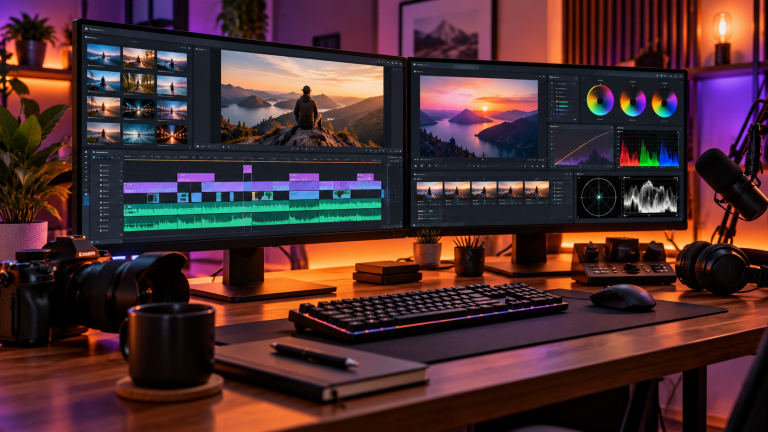
Video content dominates modern digital communication, from YouTube educational tutorials and TikTok short-form clips to corporate presentations and freelance client deliverables. Fortunately, aspiring creators no longer need to invest in a $240-to-$600 annual Adobe Creative Cloud subscription to produce studio-grade video edits. Modern open-source projects and developer-backed freemium editors deliver timeline multi-track editing, GPU hardware acceleration, professional color grading, and watermark-free rendering straight out of the box.
Below is an in-depth breakdown of the best free video editing applications available in 2026, comparing their core architectures, learning curves, hardware demands, and optimal content creator workflows.
- 1. DaVinci Resolve: The Hollywood-Grade Free Suite
- 2. CapCut Desktop: Fast Social & Short-Form Content Creation
- 3. Kdenlive: The Powerful Open-Source Timeline Editor
- 4. Shotcut: The Lightweight FFmpeg Multi-Format Workhorse
- 5. OpenShot: The Minimalist Timeline for Quick Assembly
- Hardware Acceleration: Choosing the Right Rendering Engine
- Free Video Editing Software Comparison
- Frequently Asked Questions on Video Editors
- Sources & Further Reading
1. DaVinci Resolve: The Hollywood-Grade Free Suite
DaVinci Resolve by Blackmagic Design is arguably the most generous free production software in the entire creative software industry. Rather than a stripped-down demo, the standard free version includes the exact same highly capable color grading engine and multi-track non-linear editor used on Hollywood feature films, streaming television series, and high-budget commercials.
- Core Architecture: Integrated four-in-one studio combining non-linear video editing (Cut & Edit pages), node-based visual effects compositing (Fusion page), broadcast audio mastering (Fairlight page), and 32-bit floating-point color science (Color page).
- Proxy & Render Cache Workflow: For creators working with heavy 4K or 10-bit H.265 camera files, DaVinci Resolve features an automated Proxy Generator. With a single click, it transcodes resource-heavy RAW or long-GOP footage into lightweight ProRes Proxy or DNxHR LB files. Combined with the Smart Render Cache, this enables buttery-smooth 60 FPS timeline scrubbing even on midrange hardware.
- Export Capabilities: Exports up to Ultra HD 4K resolution at 60 frames per second without watermarks, trial timers, or feature lockouts.
- Hardware Considerations: Resolve is GPU-intensive. It demands a dedicated graphics card with at least 4 GB to 8 GB of VRAM (such as NVIDIA GeForce RTX series, AMD Radeon RX, or Apple Silicon M-series chips) and a minimum of 16 GB to 32 GB of system RAM.
2. CapCut Desktop: Fast Social & Short-Form Content Creation
While DaVinci Resolve caters to long-form storytelling and cinematic filmmaking, CapCut Desktop (developed by ByteDance) has become the widely recognized professional benchmark for vertical video creators targeting TikTok, Instagram Reels, and YouTube Shorts.
- Automated AI Subtitles: CapCut features highly capable automatic speech-to-text recognition with 95%+ transcription accuracy. It generates synchronized kinetic animated captions with customizable fonts, emojis, and highlighting in seconds.
- Creator Asset Library: Includes hundreds of royalty-free sound effects, trending transitions, split-screen layouts, chroma key green-screen removal, and automated speed ramping.
- Turnaround Speed: Designed for extreme efficiency. Creators can import raw smartphone footage, apply auto-captions, insert B-roll cutaways, and export a polished vertical 1080×1920 video in under 15 minutes.
- Considerations: Certain advanced AI filters require a CapCut Pro subscription, but all essential cutting, splitting, multi-track layering, and 4K exporting tools remain watermark-free.
3. Kdenlive: The Powerful Open-Source Timeline Editor
For creators who prioritize software freedom, digital privacy, and open-source standards, Kdenlive (KDE Non-Linear Video Editor) is one of the most mature FOSS video suites in the world. Built upon the robust MLT Multimedia Framework and FFmpeg libraries, Kdenlive runs seamlessly across Linux, Windows, and macOS.
- Customizable Workspace: Features unlimited video and audio tracks, dual video monitors, customizable keyboard shortcuts, and full color-grading scopes (waveform, vectorscope, RGB parade).
- Automatic Audio Sync: Allows creators shooting multi-camera interviews or using separate microphone recorders to synchronize clips automatically by matching audio waveforms on the timeline.
- Lightweight Resource Footprint: Unlike DaVinci Resolve, Kdenlive operates efficiently on modest quad-core laptops with integrated Intel Iris Xe or AMD Radeon graphics, making it ideal for budget studio setups.
4. Shotcut: The Lightweight FFmpeg Multi-Format Workhorse
Shotcut is another premier open-source video editor that stands out for its exceptional format versatility and native timeline editing philosophy.
- Native Timeline Editing: Shotcut does not require importing or ingesting footage into internal project databases. You can drag and drop media directly from your file manager onto the timeline, saving gigabytes of disk space and eliminating import wait times.
- Universal Codec Support: Backed directly by FFmpeg, Shotcut natively reads hundreds of audio and video formats, codecs, and containers, including ProRes, DNxHD, AV1, VP9, H.264, HEVC, and uncompressed broadcast streams up to 8K resolution.
- Modular Audio/Video Filters: Offers dozens of GPU-accelerated video filters including 3-way color wheels, LUT (Lookup Table) support, audio compressors, limiters, and parametric equalizers.
- Portable Installation: Available as a standalone portable build that runs directly from a fast USB flash drive or external SSD without administrative installation privileges.
5. OpenShot: The Minimalist Timeline for Quick Assembly
If you find DaVinci Resolve overwhelming and simply need to assemble clips, trim family videos, and add basic transitions without navigating complex color nodes, OpenShot is the easiest free editor to learn.
- Drag-and-Drop Simplicity: Offers a straightforward multi-track timeline where audio, video, and watermark layers snap together intuitively.
- 3D Animated Titles: Integrates directly with the open-source 3D suite Blender to render 3D flying text, animated snow, lens flares, and bouncing typography.
- Audio Waveform Visualization: Renders real-time audio waveforms directly on video strips, making it simple to trim pauses, coughs, and silent segments.
- DaVinci Resolve: Completely free for exports up to 4K UHD at 60 fps without any watermark. DaVinci Resolve Studio (5 one-time) adds neural engine AI tracking, stereoscopic 3D, and multi-GPU acceleration.
- CapCut Desktop: Exports without watermark at up to 1080p resolution on the free tier. Advanced AI features, select transitions, and 4K 60fps ProRes exports require a CapCut Pro subscription.
- Shotcut & Kdenlive: Completely free, open-source (GPL licensed), with zero watermarks, ads, or export resolution paywalls.
Hardware Acceleration: Choosing the Right Rendering Engine
Modern video editing performance relies on your GPU’s dedicated silicon video decoding and encoding blocks. Understanding how your editor interacts with this hardware determines whether your timeline stutters or glides:
- NVIDIA NVENC / NVDEC: NVIDIA’s dedicated hardware encoder offloads H.264, HEVC, and AV1 video rendering entirely from your CPU. Modern RTX 4000 series GPUs feature dual NVENC encoders that export 4K 60 FPS timelines up to four times faster than real-time playback.
- Intel QuickSync Video (QSV): Built directly into Intel Core processors, QuickSync provides highly capable hardware decoding for 10-bit 4:2:2 HEVC camera footage (a common codec from Sony, Canon, and Panasonic cameras that often stutters on graphics cards without dedicated 4:2:2 silicon decoders).
- AMD AMF / VCN: AMD’s Video Core Next provides efficient hardware transcoding across Radeon graphics cards, slashing CPU temperatures and export render times.
- Apple Silicon Media Engine: Apple’s M-series chips (M2, M3, M4 Pro/Max) feature dedicated ProRes hardware accelerators capable of streaming dozens of 4K and 8K ProRes video streams simultaneously with zero frame drops.
Storage Tip: Configure a Dedicated NVMe Scratch Disk
Editing high-bitrate video footage from an external spinning mechanical hard drive introduces Input/Output Operations Per Second (IOPS) bottlenecks that cause dropped frames and timeline freezing. Always configure your editing cache clips, optical flow vectors, and scratch disks on a dedicated internal or USB 3.2 Gen 2 NVMe SSD offering at least 1,500 MB/s to 3,500 MB/s sequential read/write bandwidth.
Free Video Editing Software Comparison
| Software | License | Skill Level | Watermark | Primary Strength |
|---|---|---|---|---|
| DaVinci Resolve | Freemium | Intermediate to Pro | None (Up to 4K 60) | Hollywood color grading, Fairlight audio & Fusion VFX |
| CapCut Desktop | Freemium | Beginner | None (Core features) | AI auto-captions, vertical templates, rapid Shorts/TikTok turnaround |
| Kdenlive | Open-Source (GPL) | Intermediate | Zero Watermark | Lightweight multi-track timeline, privacy, Linux/Windows stability |
| Shotcut | Open-Source (GPL) | Beginner to Intermediate | Zero Watermark | Native timeline editing, universal FFmpeg codec playback, portable build |
| OpenShot | Open-Source (GPL) | Beginner | Zero Watermark | Minimalist UI, simple drag-and-drop layering, Blender 3D titles |
Frequently Asked Questions on Video Editors
Is DaVinci Resolve truly free, or will I hit paywalls?
The standard free edition of Blackmagic DaVinci Resolve is 100% free for both personal and commercial projects without watermarks, subscription expirations, or export quantity limits. You can edit, color-grade, and export full Ultra HD 4K video at 60 FPS indefinitely. The optional $295 one-time paid license (DaVinci Resolve Studio) is only required for advanced studio features such as multi-GPU acceleration, neural engine AI depth maps, voice isolation tools, and stereoscopic 3D workflows.
What is the difference between proxy editing and optimized media?
Both techniques improve timeline playback performance, but they function differently under the hood. Proxy media creates independent, lightweight video files (usually lower resolution in 1080p ProRes Proxy or DNxHR LB) that link to your timeline during cutting; during final export, the software switches back to original 4K camera files for pristine quality. Optimized media or render caching pre-renders timeline effects, color grades, and transitions into uncompressed scratch cache on your SSD, allowing real-time preview playback without stressing your GPU during review.
Which free video editor is best for low-spec laptops with 8 GB RAM?
If you are working on an older laptop or ultrabook without a dedicated graphics card and only 8 GB of RAM, avoid DaVinci Resolve. Instead, choose Kdenlive or Shotcut. Both open-source editors feature lightweight timeline engines that utilize modest system memory efficiently. Setting your project preview resolution to 720p or 540p in Shotcut will provide fluid editing playback on almost any modern laptop.
What computer specifications are recommended for smooth 4K editing?
For comfortable 4K video editing, your system should feature an Intel Core i7 / AMD Ryzen 7 processor (or Apple Silicon M2/M3/M4 Pro), a minimum of 32 GB of system RAM, a dedicated GPU with at least 8 GB of VRAM (such as an NVIDIA GeForce RTX 3060, 4060, or higher), and a fast NVMe M.2 SSD dedicated as your media cache drive.
To optimize your workstation hardware for video rendering, read our guides on speeding up Windows 11 performance and upgrading your primary storage to a high-speed NVMe SSD.
Sources & Further Reading
- Blackmagic Design — DaVinci Resolve Technical Specifications & GPU Decoding — Official hardware requirements, color management profiles, and multi-track Fairlight audio engine capabilities.
- Shotcut Open Source Video Editor Project Specifications — Comprehensive feature matrix documenting FFmpeg codec support, 4K timeline rendering, and cross-platform architecture.
- FFmpeg Multimedia Framework Official Documentation — Underlying multimedia encoding standards for open-source digital video transcoders and filters.
- Kdenlive Project Architecture & MLT Framework Documentation — Technical guide to non-linear multi-track video timeline operations and proxy workflows.