
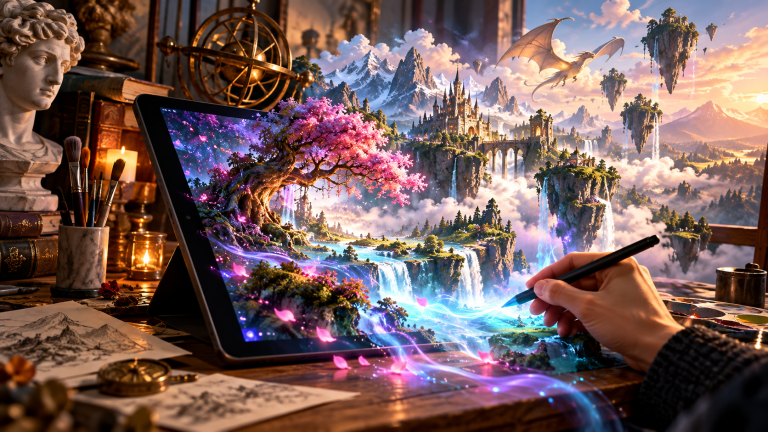
Generative Artificial Intelligence has forever transformed digital visual artistry. With simple text prompts, anyone can now create hyper-realistic photography, intricate 3D renders, vector illustrations, and cinematic concept art in seconds. However, navigating the landscape of AI image generators can be confusing for newcomers.
The modern AI image synthesis ecosystem is driven by three primary paradigms: Midjourney (v8.2) for cinematic aesthetics, OpenAI’s integrated image generation architecture (powering ChatGPT Image Generation and evolved from the DALL-E engine), and high-performance open-weights models such as Stable Diffusion 3.5 & FLUX.1. Below is your comprehensive beginner’s guide to choosing the right tool and crafting stunning visual prompts.
- 1. Midjourney: Best for Photorealism & Artistic Aesthetics
- 2. OpenAI Image Generation (DALL-E Architecture): Best for Prompt Adherence & In-Image Text
- 3. Stable Diffusion: Best for Local Privacy & Absolute Control
- Core Prompting Architecture for Stunning Images
- Diffusion Model Mechanics: Latent Space & Conditioning
- AI Image Generation Engines Comparison
- Frequently Asked Questions on AI Image Tools
- Sources & Further Reading
1. Midjourney: Best for Photorealism & Artistic Aesthetics
Midjourney is celebrated for producing the most visually breathtaking, coherent, and aesthetically pleasing imagery in the AI sector. It operates primarily via Discord and a sleek web creation suite.
- Strengths: Cinematic lighting, flawless photorealism, exquisite architectural renders, and sophisticated artistic stylistic control.
- Parameters to Know: Use
--ar 16:9for widescreen wallpapers,--v 8.2for current model architecture, and--stylize 250for enhanced artistic flair.
2. OpenAI Image Generation (DALL-E Architecture): Best for Prompt Adherence & In-Image Text
Integrated natively into ChatGPT Plus, Team, and Microsoft Copilot, OpenAI’s image generation engine (evolved from the DALL-E foundation into native multimodal visual synthesis) excels at following intricate, multi-clause natural language instructions without requiring arcane parameter flags.
- Strengths: Accurately renders legible typography inside generated scenes (storefront signage, book covers, labels), maintains strict spatial comprehension across multi-object descriptions, and allows conversational in-canvas iterative revisions.
- Best For: Rapid concept visualization, presentation diagrams, marketing mockups, and complex conversational art generation.
- Pricing: Included with ChatGPT Plus / Pro ($20/month) and Microsoft Copilot; developer API usage billed per generated image.
3. Stable Diffusion: Best for Local Privacy & Absolute Control
Unlike Midjourney and OpenAI image generation which run on proprietary cloud servers, Stable Diffusion (via tools like ComfyUI and Automatic1111) is an open-source model you can run 100% locally on your own desktop GPU with zero subscription fees and total creative freedom (ControlNet, LoRAs, and inpainting).
Core Prompting Architecture for Stunning Images
When generating AI imagery, structure your prompts using this descriptive order:
[Subject] + [Environment/Background] + [Lighting & Mood] + [Art Style / Camera Lens] + [Color Palette]Example Prompt: “An elderly cybernetic watchmaker inspecting glowing micro-gears, cluttered retro workshop background, dramatic rim lighting with golden hour glow, shot on 35mm Hasselblad film, cinematic depth of field, warm amber and teal palette.”
Diffusion Model Mechanics: Latent Space & Conditioning
Modern text-to-image synthesis models (such as Midjourney v8.2, OpenAI’s image generation engine, and Stable Diffusion 3.5 & FLUX.1) do not stitch together pre-existing photos like a collage. Instead, they begin with a grid of pure random Gaussian noise. Guided by a text encoder (such as CLIP or OpenCLIP), the latent diffusion model iteratively denoises the image step-by-step, predicting where light, texture, and geometry belong based on training across billions of captioned images.
Understanding this architecture transforms your prompting technique. Specifying precise camera lenses, lighting angles (e.g. volumetric god-rays, rim lighting), film stocks, and artistic mediums informs the latent denoiser far more effectively than generic buzzwords like “photorealistic” or “hyper-detailed”.
The Power of Stable Diffusion LoRAs & ControlNet
Unlike cloud generators, running Stable Diffusion locally with ComfyUI or Automatic1111 allows using ControlNet (which locks human poses, line-art edges, and spatial depth) alongside lightweight LoRA models (Low-Rank Adaptations) to render identical character faces and product designs consistently across hundreds of variations.
AI Image Generation Engines Comparison
| Platform | Deployment Model | Text Adherence | Commercial Rights |
|---|---|---|---|
| Midjourney v8.2 | Cloud (Discord & Web) | Exceptional photographic aesthetics | Full commercial (Paid plans) |
| OpenAI Image Generation (DALL-E) | Cloud (ChatGPT / Copilot / API) | Flawless natural language & in-image text | Full commercial ownership |
| Stable Diffusion 3.5 & FLUX.1 | 100% Local / Open Weights | Infinite customization via LoRA/ControlNet | Full commercial (Community license) |
Frequently Asked Questions on AI Image Tools
Can I generate AI images completely free on my own computer?
Yes. If you have an NVIDIA graphics card with at least 8 GB of VRAM (RTX 3060, 4060, or better), you can install Fooocus or ComfyUI locally. Denoising occurs entirely on your GPU without paying subscription fees or uploading private assets to cloud servers.
Are AI generated images copyrighted?
Under current US Copyright Office guidelines, purely AI-generated imagery without substantial human creative arrangement cannot be registered for exclusive copyright. However, commercial platforms grant paying users full unrestricted rights to monetize, publish, and sell the generated output.
To enhance your prompting prowess, check our guide on mastering AI prompts and explore our recommendations for top AI productivity tools in 2026.
Sources & Further Reading
- OpenAI Research — Multimodal Image Synthesis & Prompt Fidelity — Official technical documentation on native visual synthesis and safety mitigation pipelines.
- Midjourney Official Documentation & Version History — Technical guidelines for Midjourney V8.2 default rendering, parameter syntax, and GPU cluster allocation.
- Stability AI Research & Model Architecture Releases — Open-weights specifications for Stable Diffusion 3.5 and latent diffusion pipeline optimization.
- Black Forest Labs — FLUX.1 Architecture Specifications — 12-billion parameter rectified flow transformer documentation and open visual generation standards.